Horizon scanning tells you what is changing. The question that usually follows in the strategy meeting is harder: what could all these changes add up to, and what should we prepare for?
Answering it has traditionally meant scenario workshops. A group picks a handful of driving forces, debates their possible outcomes on a whiteboard and, after a day or two, settles on three or four scenarios. The work is valuable, but it is slow, it depends on who is in the room, and it explores only a small share of the futures that are actually possible.
The Scenario Analyzer, now available in Insight Booster, gives insight and foresight teams a faster and more thorough starting point. It builds future scenarios directly from the trends in your trend radar, tests hundreds of combinations and shows you which futures are both plausible and consequential.
From trend radar to scenarios
Most scenario projects start from a blank page. The Scenario Analyzer starts from the evidence you already have. It is connected to a trend radar in the same project, so the trends, weak signals and sources your radar has collected become the context the scenarios are built on.
That keeps the scenarios grounded. Every scenario traces back to developments that are already visible in the news, reports and web sources you monitor, rather than to the assumptions of whoever happened to join the workshop.
How it works
1. Choose the forces that matter. You list the driving forces you want to explore, for example market concentration, the dominant revenue model or the speed of AI adoption in your industry. For each one you describe a few possible states, such as "Low", "Moderate" and "High", or "Project fees remain dominant" and "Outcome-based pricing takes over". You can also describe a focus area to steer the analysis, and choose the language of the results.
2. Let the AI fill the gaps. If you allow it, the AI reads your radar and suggests driving forces and states you may have missed. You stay in control: suggestions can be switched on or off for each force.
3. Keep only the futures that hold together. Some combinations simply cannot happen at the same time. The Scenario Analyzer checks every pair of states for consistency and drops the combinations that contradict themselves. What remains is a set of internally consistent scenarios, often hundreds of them.
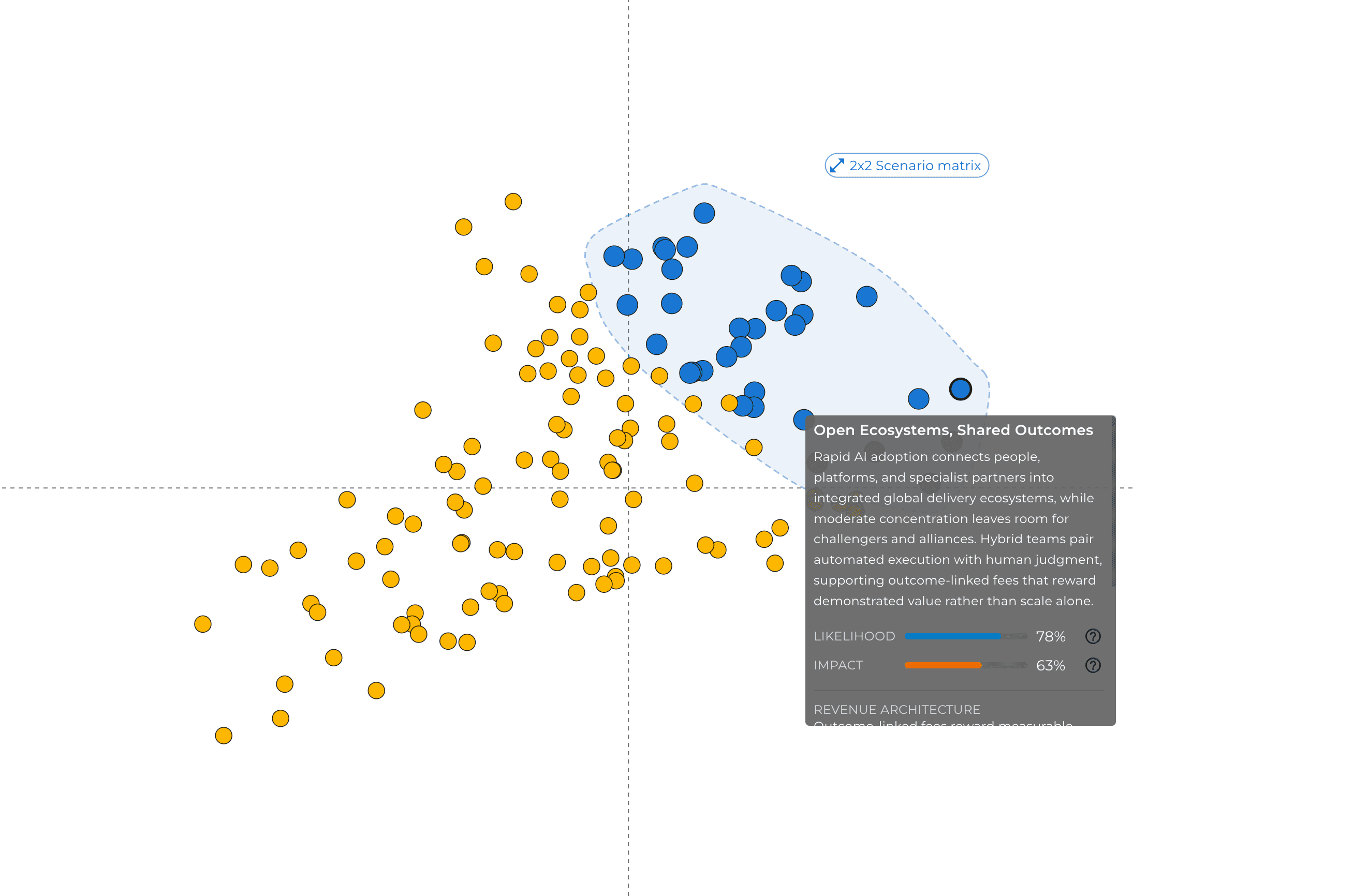
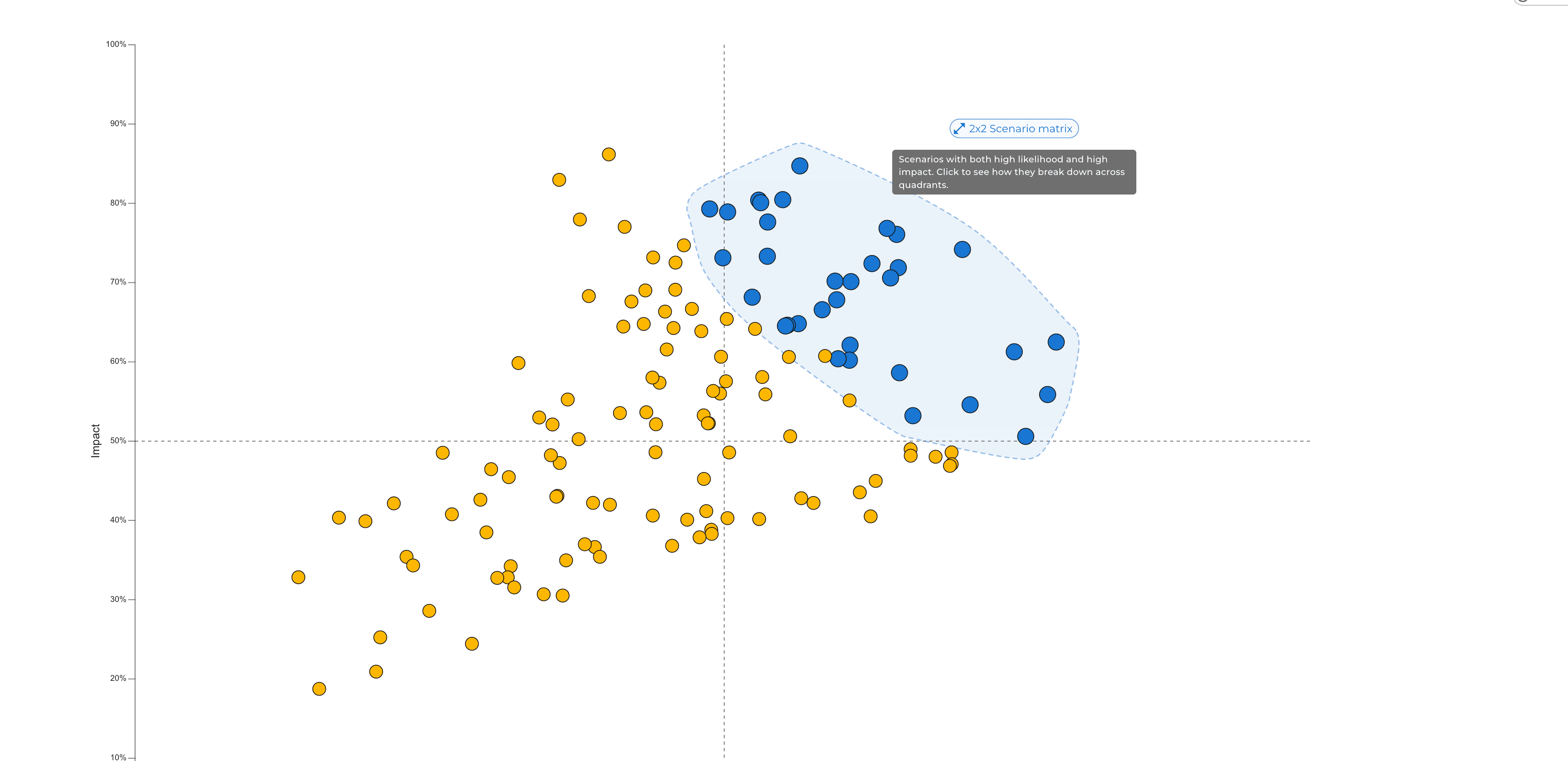
4. See which scenarios matter most. Each scenario is rated for likelihood and impact, and every rating comes with a one-sentence rationale, so you can see the reasoning and challenge it. The scenarios that score high on both get a title and a short narrative and are highlighted on the chart.
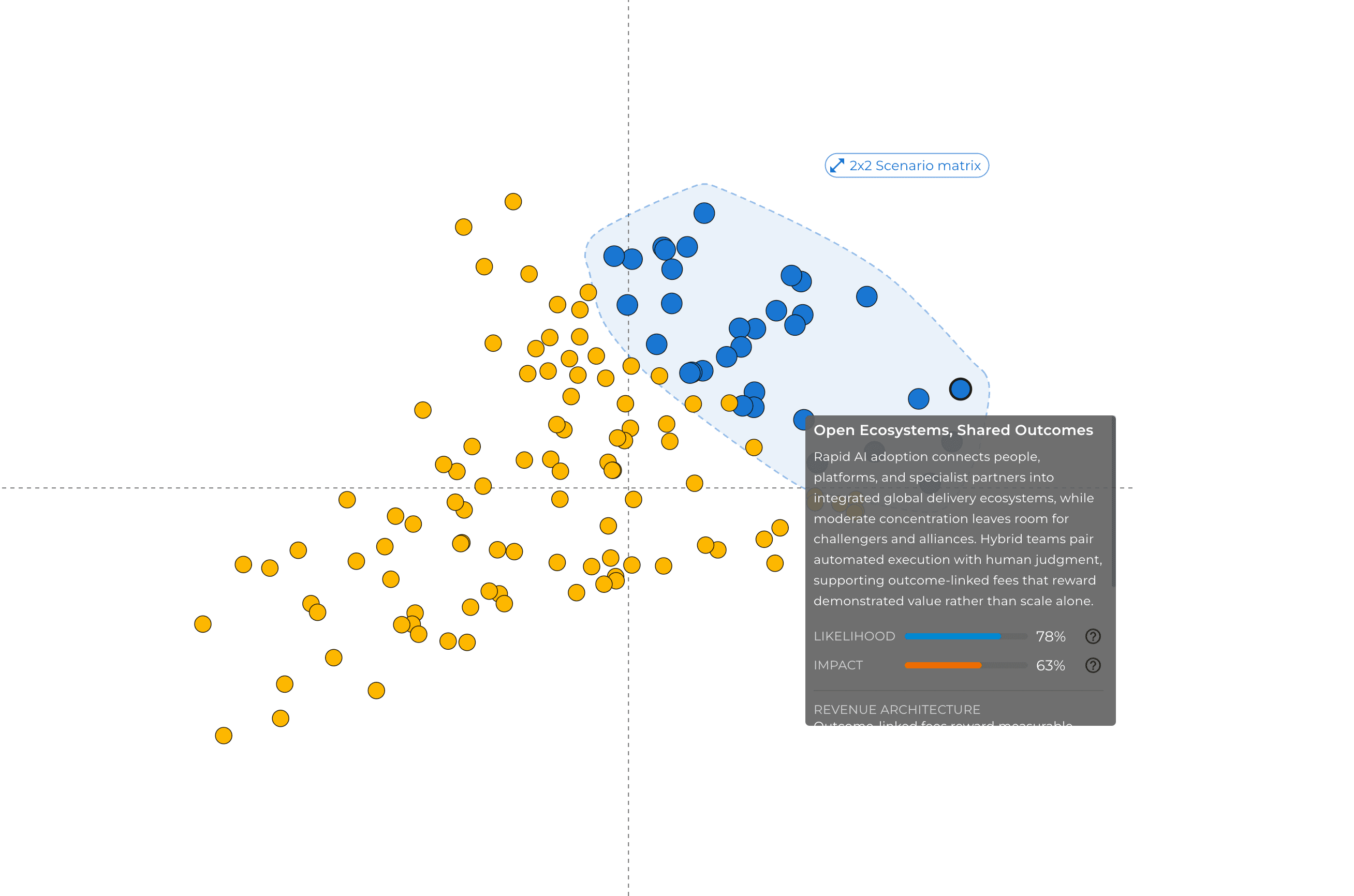
The 2x2 scenario matrix
Scenario planners have long used the 2x2 matrix to make futures easy to discuss: two key uncertainties, four contrasting worlds. Choosing the two axes is usually the hardest part of a workshop.
The Scenario Analyzer proposes them for you. It looks at what actually separates the highlighted scenarios from each other, places them on a 2x2 matrix and names both ends of each axis. Each quadrant gets a short title and summary that describes what its scenarios have in common.
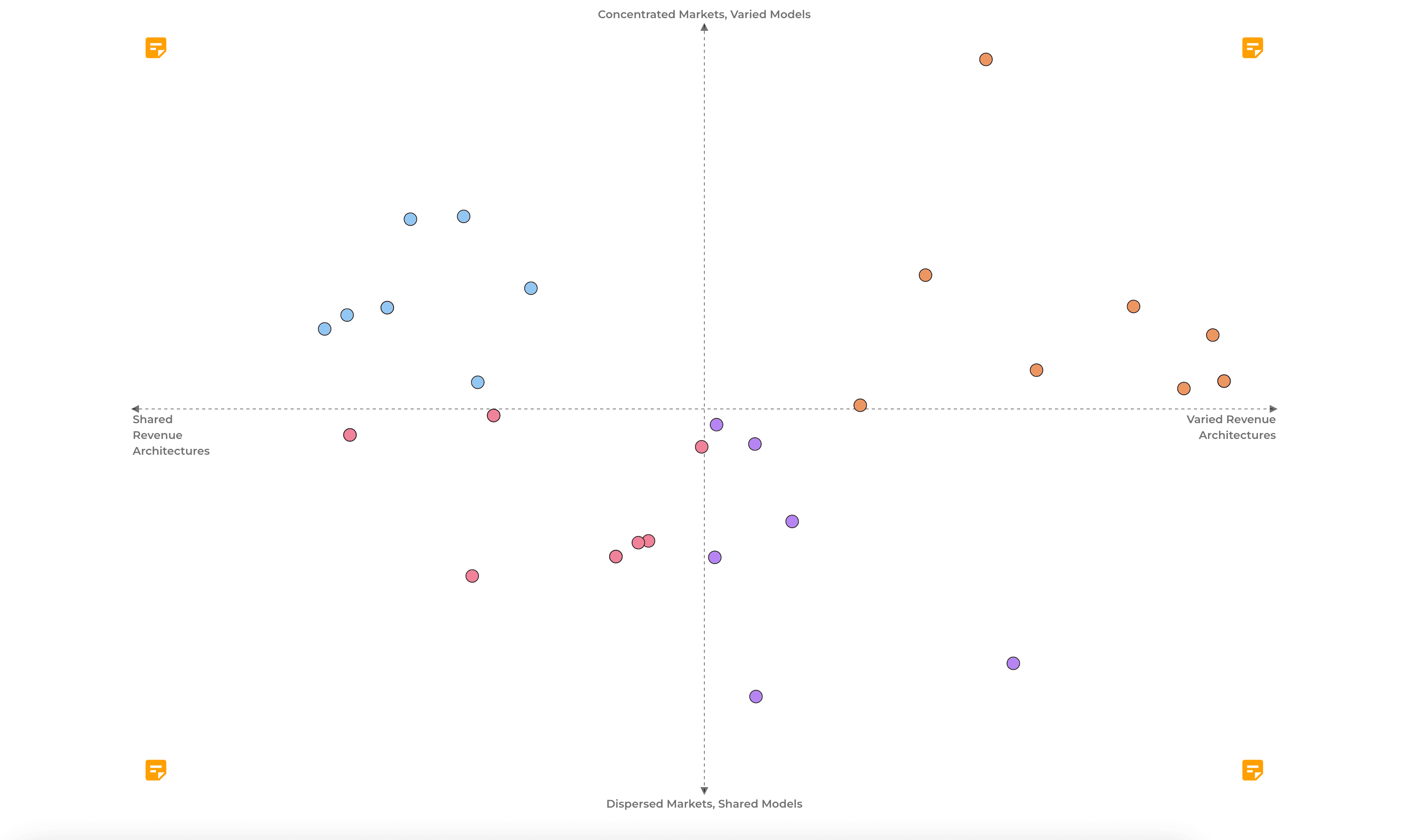
In our public example project on the future of the consulting market, the matrix separated "Concentrated markets, varied models" from "Dispersed markets, shared models" on one axis, and "Varied revenue architectures" from "Shared revenue architectures" on the other. One quadrant described a world of automated project-based consulting, where AI makes defined engagements faster and cheaper but project fees remain the main source of revenue. One of its scenarios, "Global Automation, Project Contracts", scored 50% for likelihood and 79% for impact.
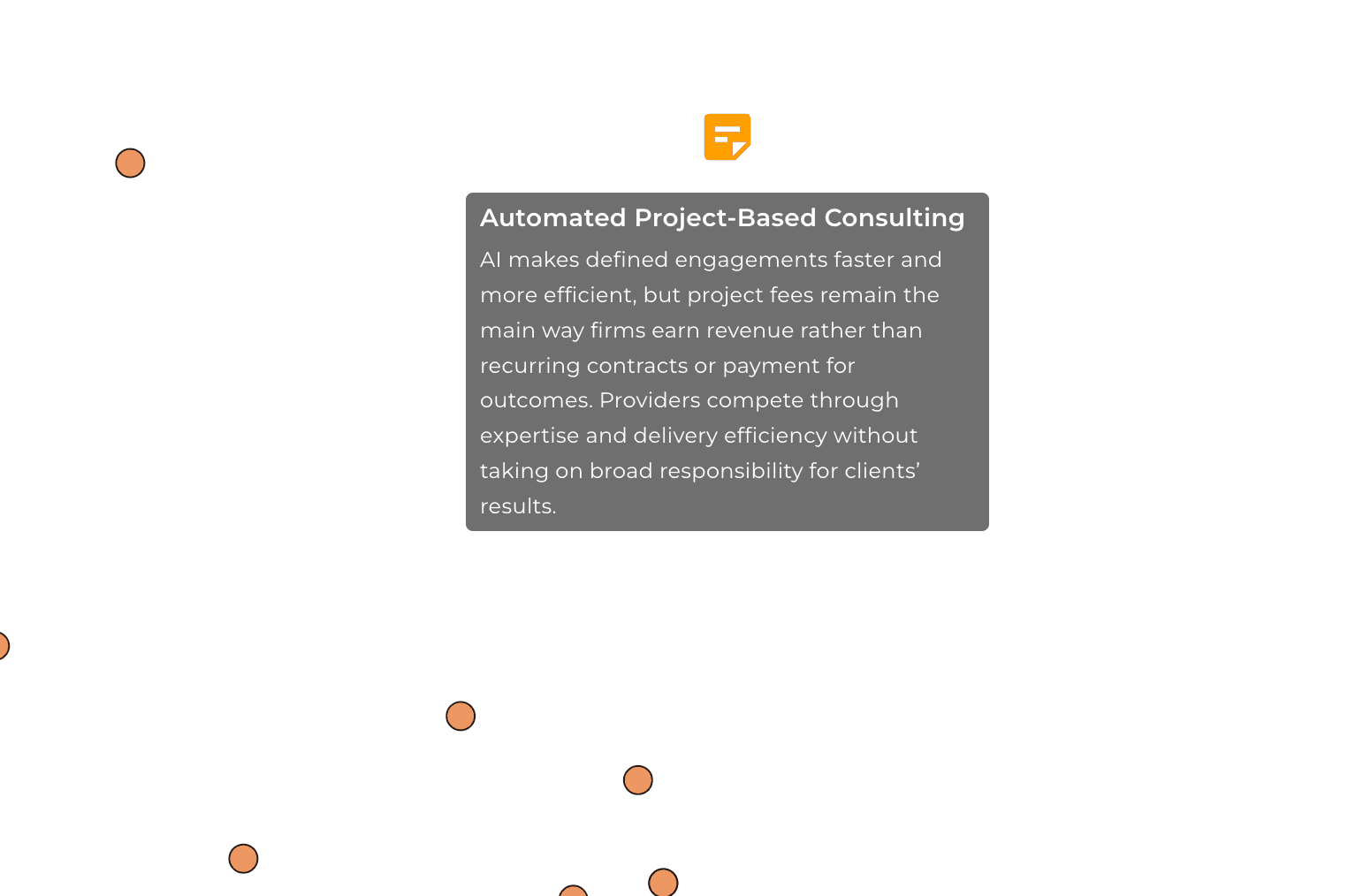
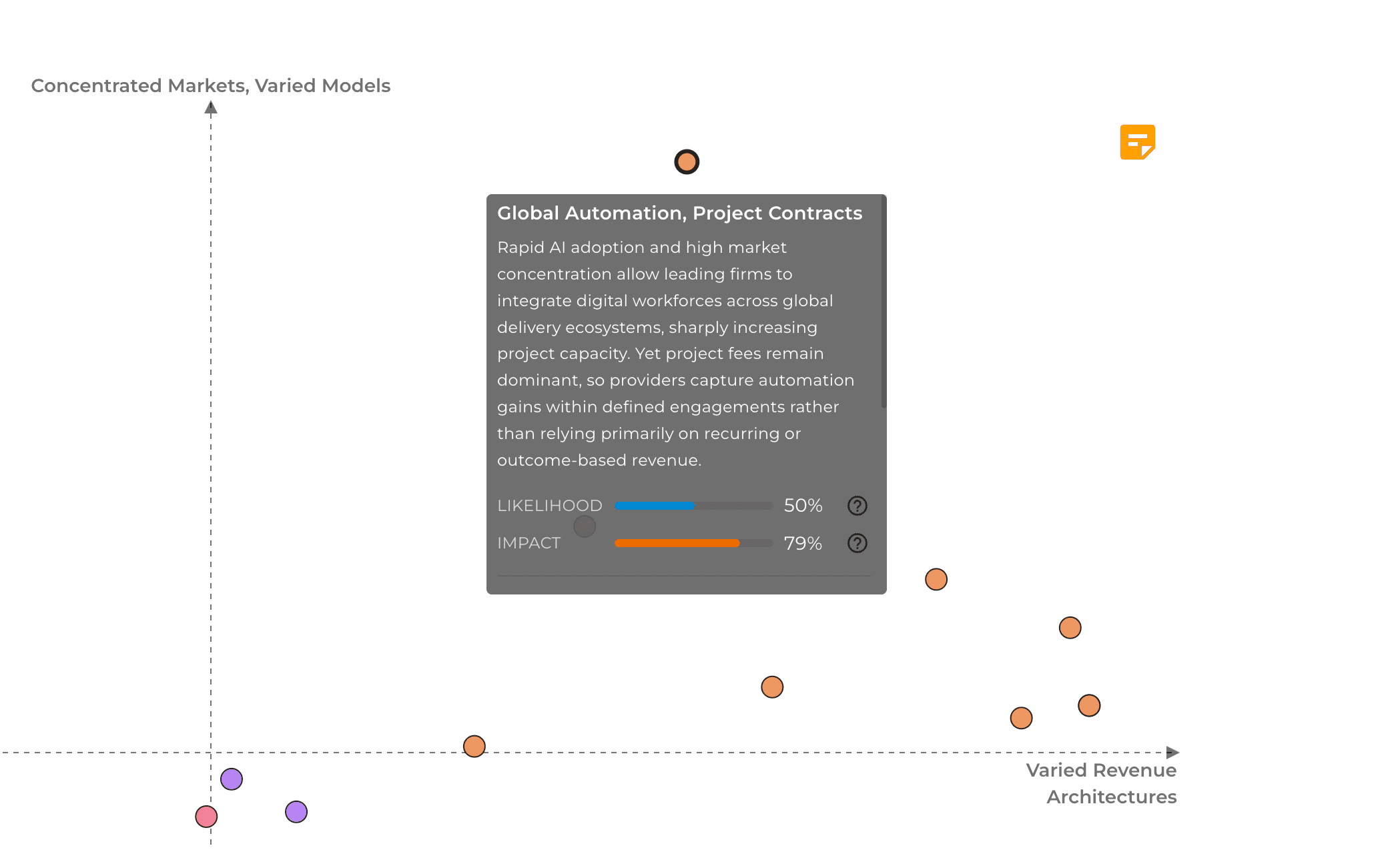
You can open the example project and explore it yourself: hover over any scenario to read its narrative, open the 2x2 scenario matrix and compare the quadrants. The trend radar the scenarios are built on is in the same project.
What insight teams can do with it
Prepare strategy workshops in hours instead of weeks. Bring a set of evidence-based scenarios, a proposed 2x2 matrix and quadrant narratives to the first session. The workshop can then spend its time on implications and decisions instead of on building the scenarios from scratch.
Stress-test strategies and plans. Check how a strategy, a product roadmap or an investment case holds up across the most likely high-impact futures, not only the one the organization expects.
Find the futures nobody raised. Because every consistent combination is tested, the analysis also surfaces scenarios that are unlikely but highly disruptive. These are the ones worth watching before they become obvious.
Keep scenarios up to date. Scenarios built on a trend radar do not have to be a one-off exercise. When your radar is refreshed with new sources, run the analysis again and see whether the picture has shifted.
Share the results. Explore the scenarios together in an interactive view, or download them as an Excel file for reports and presentations.
Run it from Claude or ChatGPT
The Scenario Analyzer is also available through the Dcipher connector for Claude and ChatGPT. Ask your assistant to run a scenario analysis on a project's trend radar, and to summarize the highlighted scenarios or compare the quadrants in plain language.
Getting started
The Scenario Analyzer is available now in Insight Booster. Add a Scenarios workbench to a project that has a trend radar, choose your driving forces and run the analysis. If you want to see the results first, explore the live example project.
To see how the Scenario Analyzer and the trend radar work together, visit our Horizon Scanning & Trend Monitoring page or book a demo.